I’d say we are pretty fortunate here at my dorms. On every floor we have, hung up on the wall of every TV room is a 32-inch (or something, I’ve never measured it) Sony LCD (I assume) HDTV. That’s pretty freaking awesome (even if it is too close to the wall for comfort [and by comfort I mean the ability to actually reach back there and plug wires in <do these symbols come after parentheses and brackets? {no wait, it’s these things}>]). Wait a second, that was kind of fun!(!?[?{!}!]!?![?!]!{!?}!]?!?!)!?!?!(!!?!?[!?]?!)
…
That was (annoying[ly] fun[ny], but [bet{ter than} nothing]).
…
Alright, I’m done now. I apologize for that. I like forcibly exploiting exploitable aspects of the English language that really aren’t exploitable, but are fun to exploit in this theoretical matter that would work if it really was this exploitable.
…
Anyway, we were talking about televisions? Ah yes.
Recently our floor finally received a DVD player for said TV. However, it didn’t have the proper connections to enable it’s progressive mode it was perfectly capable of (and we weren’t given a remote either…). This makes me frustrated. Do you know what progressive mode is? It’s the p in 480P, 720*P*, and 1080—->p<——–. Without the right cables, you get i, or interlaced mode. What’s the difference? Interlaced looks like shit and progressive looks slightly non-shit.
Ok, that’s not really true. I won’t get into the specifics of how it all works since I don’t completely know them, but I’ll explain in layman’s terms the end result. Basically (I’m exaggerating a bit, but stick with me here), interlaced mode seems to melt all the stuff on the screen together while progressive mode provides a crisper and cleaner image. So if there is text on screen, it makes a world of a difference. This is vital to video games and good to have for movies so you don’t miss any smaller details (although, true HD images are best for this [such as with Blu-Ray]). Heck, when DVDs first came out to provide common access to 480p material, Progressive TVs were the thing to get when shopping for a new TV (unless you were too cheap for that and just WAITED for HDTVs, psh).
Basically, 480p will give you the full product you paid for with DVDs, and are especially helpful when you have a nice HDTV that is meant to be displaying crisper images.
This is why it annoys me to no end when people plug an Xbox 360 into the standard yellow, white and red slots of an HDTV. For Pete’s sake, this isn’t a freaking Wii (which I like too, don’t get me wrong)! The whole appeal of the Xbox 360 (and Playstation 3) is the graphical prowess and HD capability. You are squandering both the money spent on the game console and the TV when you use 480i instead of the 720p/1080p you should be using. Heck, if I’m calculating it right, you are losing about 583,680 pixels when you do that! Respect the pixels, man. Respect ’em.
For those wondering exactly what exactly the difference between 480i and 480p are, here are some pictures I found online using a video game on the Wii (which is capable of 480i and 480p). 480p is on the left and 480i is on the right:
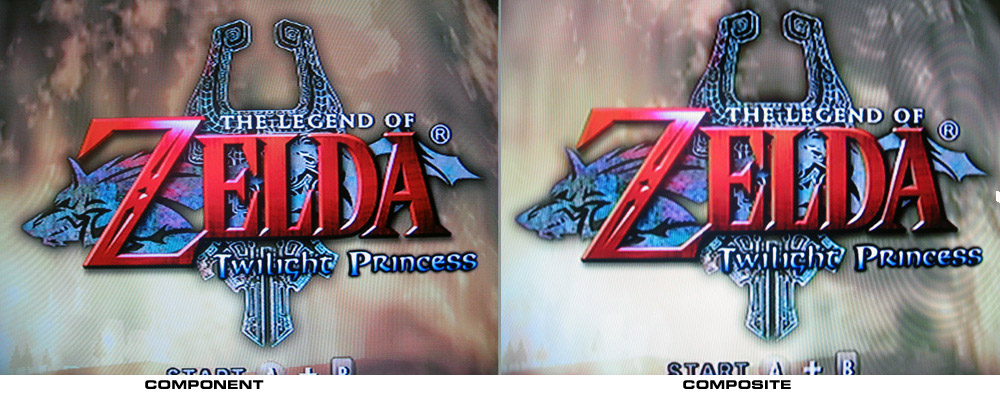
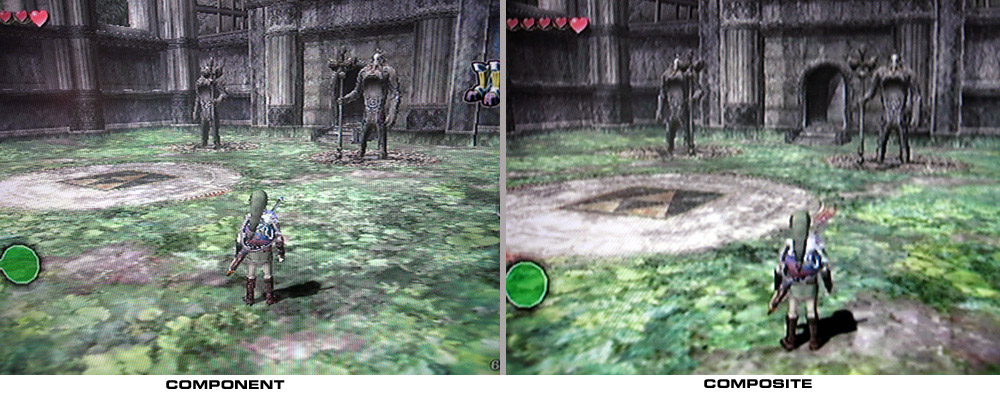
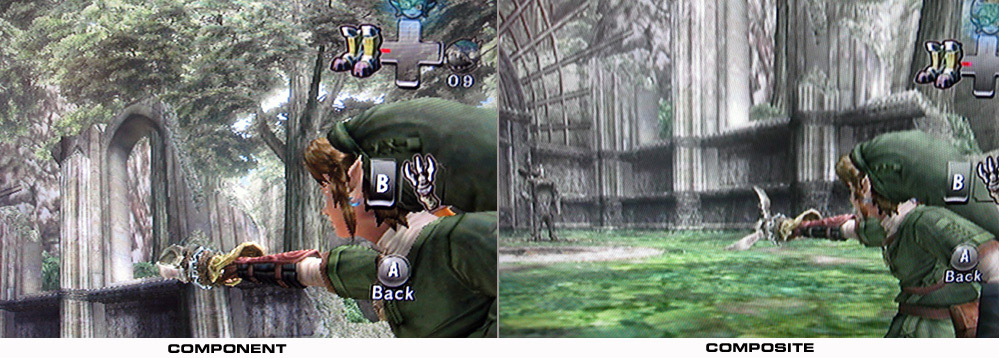
(pictures are from this random person called Viz79 on the RedFlagDeals forums: LINK)
I will concede though, that these pictures aren’t completely fair since they are all taken at slightly different angles and so might not be completely accurate. Perhaps one day I will update this post with my own pictures. Until then, just go and see for yourself. The difference really is noticeable, even if it isn’t always much.


 suspiciously generic
The difference is crystal clear